Utility components
Tooltip
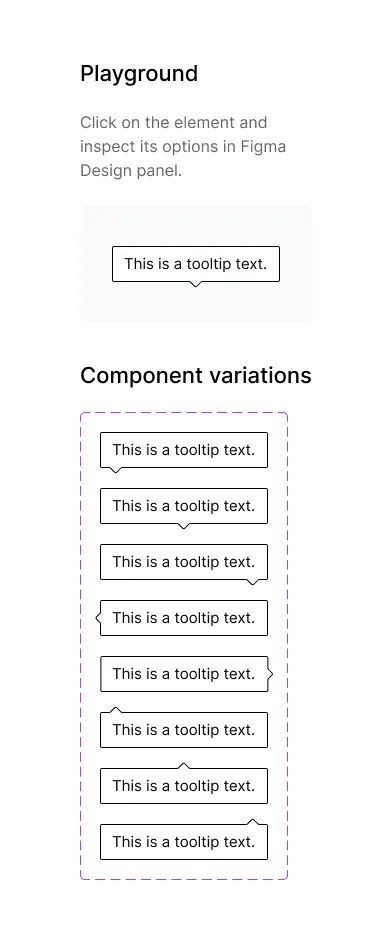
Show extra information next to an element in your Figma designs with the Frames For Figma Tooltip component and its eight arrow positions.
A tooltip is a small bubble with extra information that appears when someone hovers over, focuses or taps an element. The Tooltip component (on 📕 Utility components → ↳ Tooltip) gives you that bubble with an arrow pointing at the element.
Properties
Section titled “Properties”| Property | Options | What it does |
|---|---|---|
| Tooltip position | Top-left, Top-center, Top-right, Middle-left, Middle-right, Bottom-left, Bottom-center, Bottom-right | Where the arrow sits on the bubble. |
The position names describe where the arrow is. For a tooltip that appears above a button, the arrow points down, so pick a Bottom position.
Use it in a design
Section titled “Use it in a design”- Place the tooltip next to the element it explains, with the arrow pointing at it.
- Double-click the text and type your message. The bubble grows with the text.
- Keep it short: one sentence is ideal.